Cloudflare Dynamic DNS
OpenWrt-era Cloudflare DDNS Configuration
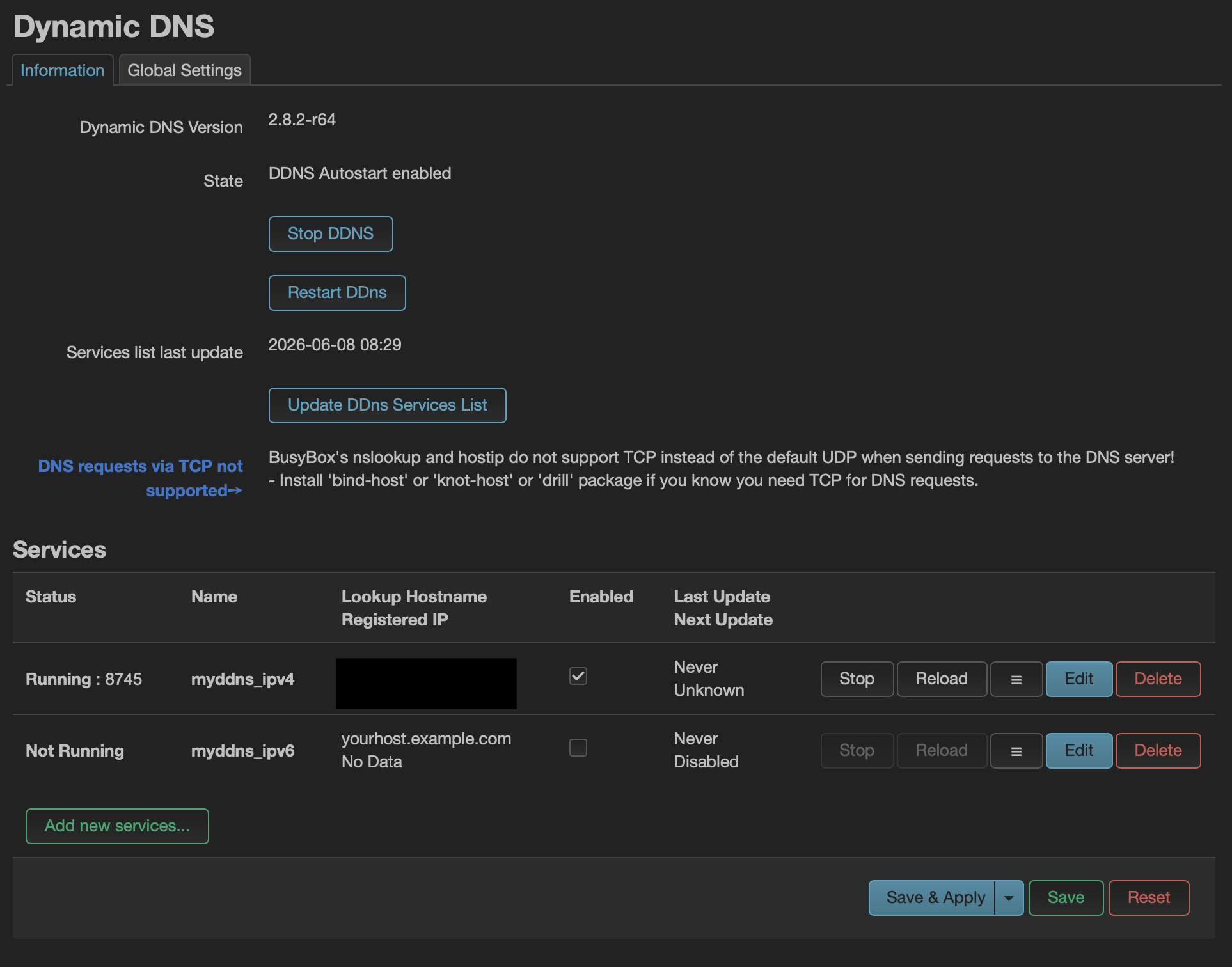
Architecture note: The screenshot and package configuration on this page document the previous OpenWrt gateway. OpenWrt has since been replaced by UniFi; the stable-hostname design remains relevant to WireGuard remote access.
Objective
The purpose of Dynamic DNS is to keep the VPN hostname updated when the public WAN IP address changes.
This allows WireGuard clients to connect using a stable domain name instead of a changing public IP address.
DNS Provider
Cloudflare is used for:
- DNS management
- Dynamic DNS updates
- VPN endpoint resolution
VPN Endpoint
vpn.sterneborn.org
This hostname resolves to the public WAN IP used by the remote-access endpoint.
Why Dynamic DNS Is Needed
The ISP can change the public IP address over time.
Without Dynamic DNS, WireGuard clients would fail to connect after an IP address change.
With Dynamic DNS:
vpn.sterneborn.org
↓
Current WAN IP
↓
WireGuard Endpoint
Previous OpenWrt Configuration
Installed packages:
ddns-scripts
luci-app-ddns
ddns-scripts-services
ddns-scripts-cloudflare
DDNS service:
cloudflare.com-v4
Lookup hostname:
vpn.sterneborn.org
Cloudflare Configuration
DNS record:
Type: A
Name: vpn
Proxy status: DNS only
Important:
Cloudflare proxy must be disabled for WireGuard.
WireGuard uses UDP traffic, and the standard Cloudflare proxy does not proxy this traffic.
API Token
A limited Cloudflare API token is used for Dynamic DNS updates.
Required permissions:
Zone → DNS → Edit
Zone → Zone → Read
Scope:
Specific zone: sterneborn.org
Security Notes
The API token should be treated as sensitive information.
Never commit the token to GitHub.
Never include it in screenshots, backups, or public documentation.
Verification
Useful commands:
nslookup vpn.sterneborn.org
wg show
logread | grep ddns
A working setup should show:
- DDNS updater running on the active platform
- Registered IP matching WAN IP
- WireGuard endpoint reachable through the domain name
The logread command and OpenWrt service checks above apply to the previous gateway and are retained as implementation history.
Lessons Learned
Dynamic DNS solves the problem of changing residential IP addresses.
Using a domain name for VPN access is more reliable and professional than hardcoding a public IP address into client configurations.