Portainer
Overview
Portainer was deployed to simplify Docker management within the homelab environment.
While Docker can be managed entirely from the command line, Portainer provides a centralized web-based interface for managing containers, images, networks, volumes, and Docker environments.
The deployment of Portainer improved visibility into the container platform and simplified day-to-day administration.
Objectives
The following objectives were defined before deployment:
- Learn container management platforms
- Simplify Docker administration
- Improve visibility into running services
- Reduce reliance on command-line management
- Support future infrastructure growth
Environment
Host Platform
Portainer is deployed as a Docker container on:
- Ubuntu Server
- Running on Proxmox VE
- Connected to the Lab/Servers network
Portainer manages the local Docker environment used throughout the homelab.
Deployment
Portainer was deployed as a Docker container and configured to start automatically after system reboots.
The service provides a secure web interface for managing Docker resources and monitoring container status.
After deployment, connectivity and functionality were verified through the web interface.
Dashboard Overview
The Portainer dashboard provides a centralized view of the Docker environment.
Screenshot context: The Portainer screenshots record the original container rollout. Counts, versions, and the container list are point-in-time evidence and may differ from the live environment.
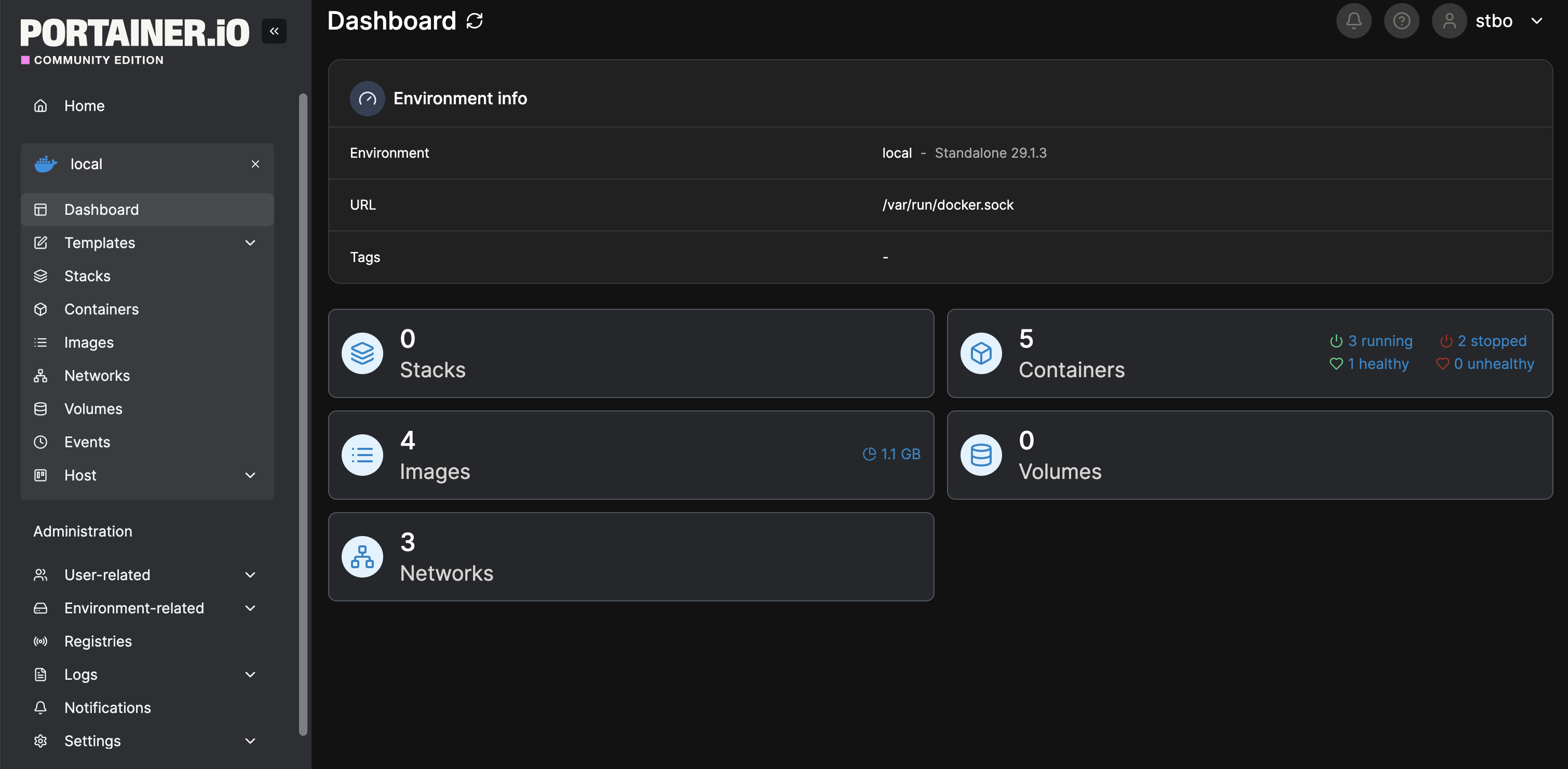
The dashboard provides visibility into:
- Containers
- Images
- Networks
- Volumes
- Docker environment health
This interface simplifies infrastructure administration and provides quick access to operational information.
Container Management
Portainer is used to manage the homelab's Docker environment.
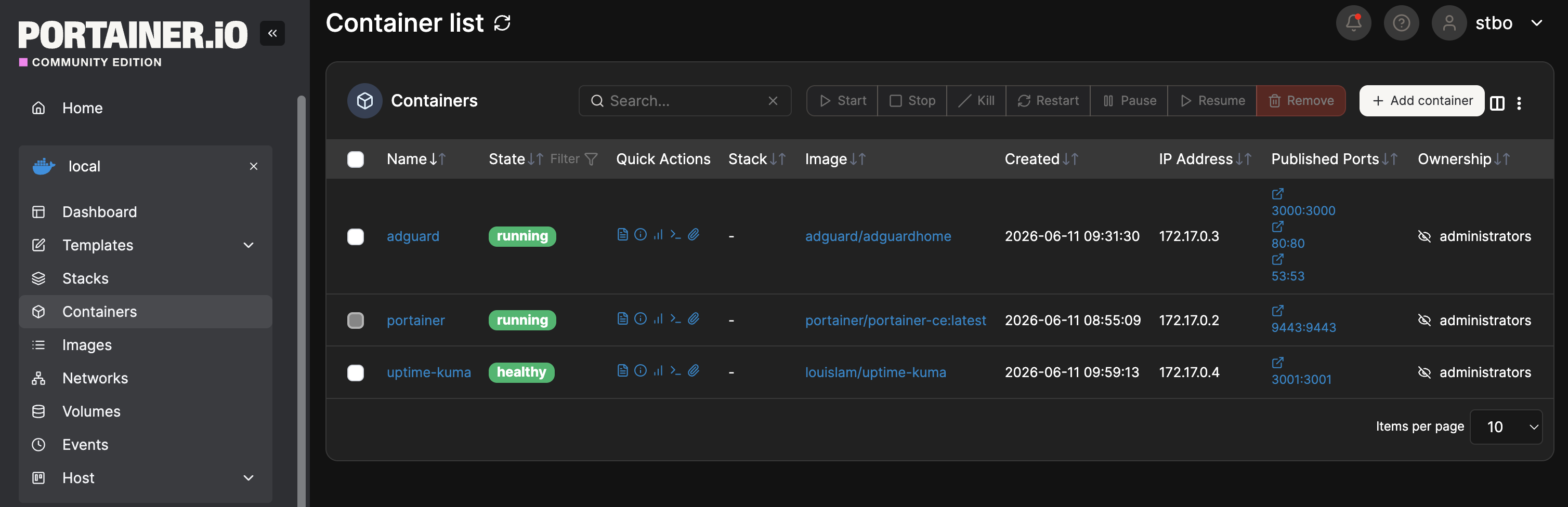
At the time of the captured rollout, Portainer managed:
- Portainer
- AdGuard Home
- Uptime Kuma
The current container inventory should be verified in Portainer rather than inferred from the screenshot.
Benefits of Portainer
Portainer provides several advantages compared to managing Docker exclusively through the command line:
- Centralized administration
- Simplified container management
- Improved visibility
- Easier troubleshooting
- Faster deployment workflows
- Reduced administrative complexity
The platform allows infrastructure services to be monitored and managed from a single interface.
Verification
The following tests were performed:
- Verify Portainer deployment
- Verify web interface accessibility
- Verify Docker environment connectivity
- Verify container visibility
- Verify container management functionality
- Verify service persistence across reboots
Successful completion of these tests confirmed that Portainer was operational and capable of managing the Docker environment.
Troubleshooting Methodology
When troubleshooting Portainer-related issues, the following process is used:
- Verify Docker service status
- Verify Portainer container status
- Verify web interface accessibility
- Review Portainer logs
- Verify Docker environment connectivity
- Restart affected services if necessary
Common diagnostic commands:
docker ps
docker logs portainer
docker restart portainer
Lessons Learned
Portainer provides a practical introduction to container management platforms commonly used in modern infrastructure environments.
The platform simplifies administration while improving visibility into containerized services.
Deploying Portainer also reinforced understanding of Docker containers, networking, persistent storage, and service management.
Portainer now serves as the primary interface for managing containerized infrastructure throughout the homelab.