OpenWrt — Previous Network Architecture
Status
Historical deployment — replaced by UniFi
The Netgear R7800 and OpenWrt 24.10 platform was the homelab's earlier gateway, firewall, VPN, and Wi-Fi architecture. It has since been replaced by a UniFi Cloud Gateway Ultra and UniFi-managed Wi-Fi.
This page is intentionally retained because the OpenWrt phase documents important networking, security, and troubleshooting work that informed the current design.
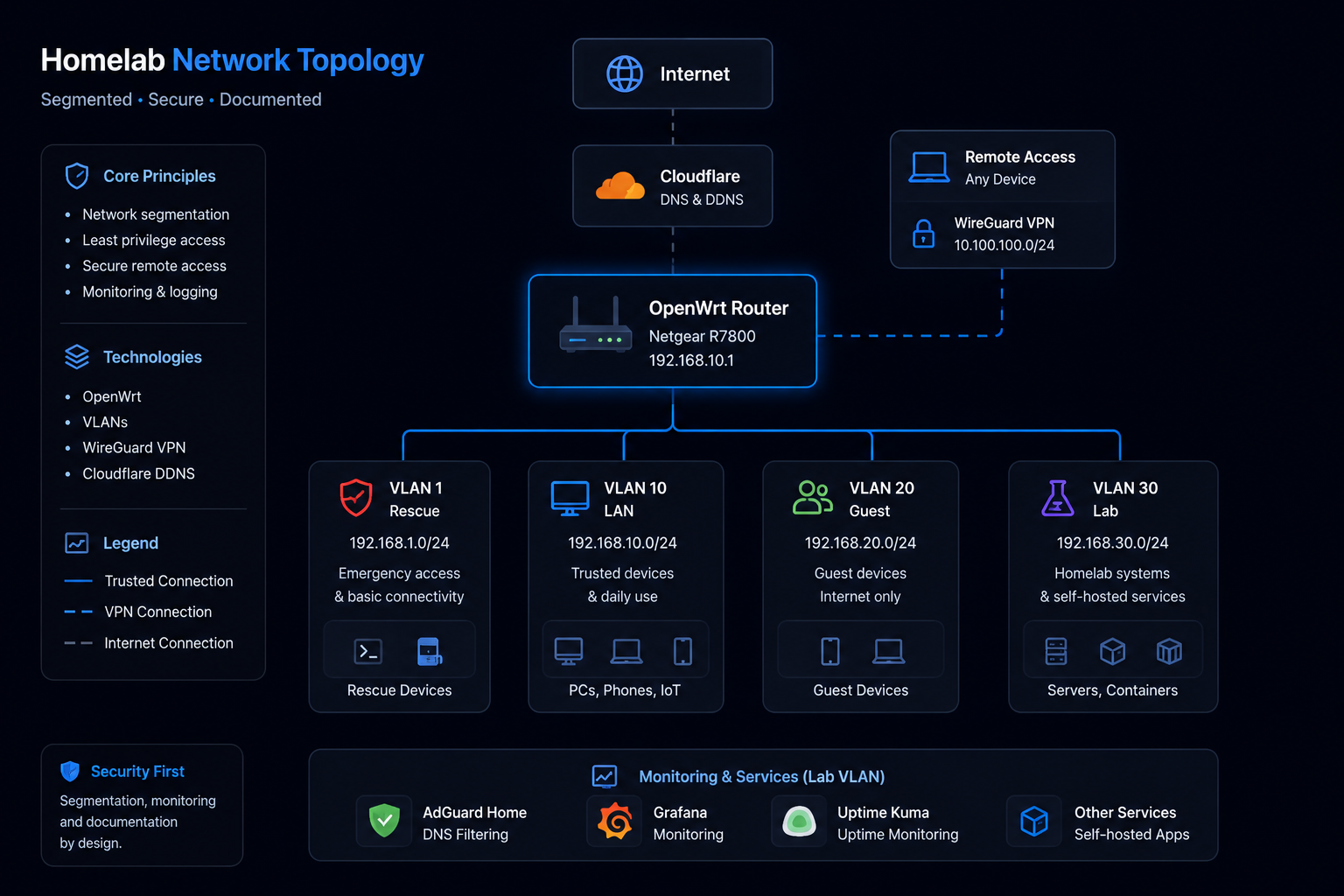
OpenWrt Dashboard
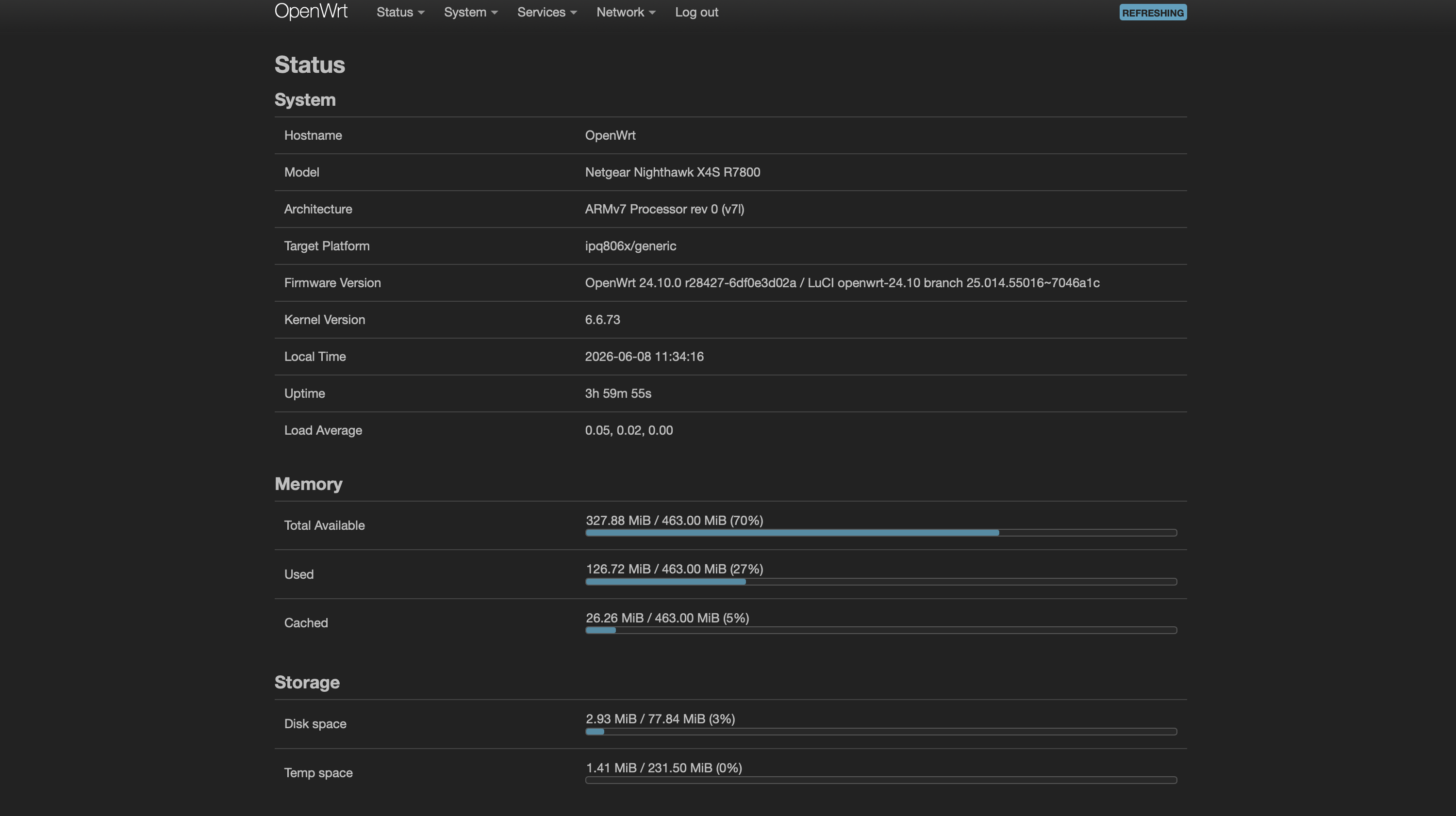
Historical screenshot from the previous OpenWrt gateway.
Previous Platform
- Netgear R7800
- OpenWrt 24.10
- OpenWrt firewall zones
- Integrated Wi-Fi
- WireGuard
- Cloudflare Dynamic DNS
Previous Segmentation
| VLAN | Purpose | Subnet |
|---|---|---|
| VLAN 10 | Trusted LAN | 192.168.10.0/24 |
| VLAN 20 | Guest Network | 192.168.20.0/24 |
| VLAN 30 | Lab Environment | 192.168.30.0/24 |
A separate recovery network was also maintained for emergency router access.
These identifiers and subnets describe the previous OpenWrt deployment, not the current UniFi configuration.
Security and Network Features
The OpenWrt deployment included:
- HTTPS-only administration
- VLAN segmentation
- Stateful firewall zones
- WireGuard remote access
- Cloudflare Dynamic DNS
- DHCP and DNS integration with AdGuard Home
- Wi-Fi radio and SSID configuration
Troubleshooting Experience
The platform was used for detailed investigation of Wi-Fi performance, radio assignments, WAN negotiation, SQM with CAKE, WireGuard peers, and firewall behavior. Testing each layer independently became a core troubleshooting method used across later projects.
Migration to UniFi
The migration moved gateway, firewall, VLAN, and managed wireless responsibilities to the UniFi platform. The current design adds a dedicated IoT segment and expresses inter-network access through zone-based firewall policy.
The migration preserves the same core principles established with OpenWrt:
- Segment by trust and function
- Allow only required cross-network traffic
- Maintain secure remote access
- Validate changes through testing and logs
- Document both implementation and troubleshooting
Skills Demonstrated
- OpenWrt administration
- VLAN deployment
- Firewall zoning
- WireGuard deployment
- DNS and DHCP integration
- Wi-Fi and network troubleshooting
- Migration planning and knowledge transfer