WireGuard Remote Access
Status
Current remote-access solution
WireGuard provides encrypted remote access to approved homelab resources. Access is governed by the same zone-based policy model used for local networks rather than treating a VPN connection as unrestricted access.
Tailscale is currently being evaluated for selected device-to-device and administrative workflows. It has not replaced WireGuard.
Design Goals
- Provide secure access from external networks
- Limit remote clients to the services they need
- Keep remote access separate from guest and IoT trust zones
- Maintain a documented and testable recovery path
- Verify connectivity through tunnel state, routing, DNS, and firewall policy
Validation Workflow
Remote-access troubleshooting is performed layer by layer:
- Confirm that the client can reach the public endpoint.
- Verify that the WireGuard tunnel has a recent handshake.
- Check the client and server routes.
- Confirm DNS behavior through the tunnel.
- Test the relevant zone-based firewall policy.
- Validate access to only the intended homelab services.
Useful WireGuard state can be inspected with:
wg show
Tailscale Evaluation
The evaluation focuses on whether Tailscale simplifies specific remote administration scenarios without obscuring routing, policy, or operational ownership.
Evaluation criteria include:
- Device enrollment and removal
- Access-control clarity
- Compatibility with the existing VLAN and firewall model
- DNS behavior
- Observability and troubleshooting
- Whether it complements or duplicates the established WireGuard path
Until that evaluation is complete, WireGuard remains the documented production remote-access method.
OpenWrt History
WireGuard was first deployed on the earlier OpenWrt router. The original OpenWrt interface screenshot is retained below as historical evidence; it is not the current gateway interface.
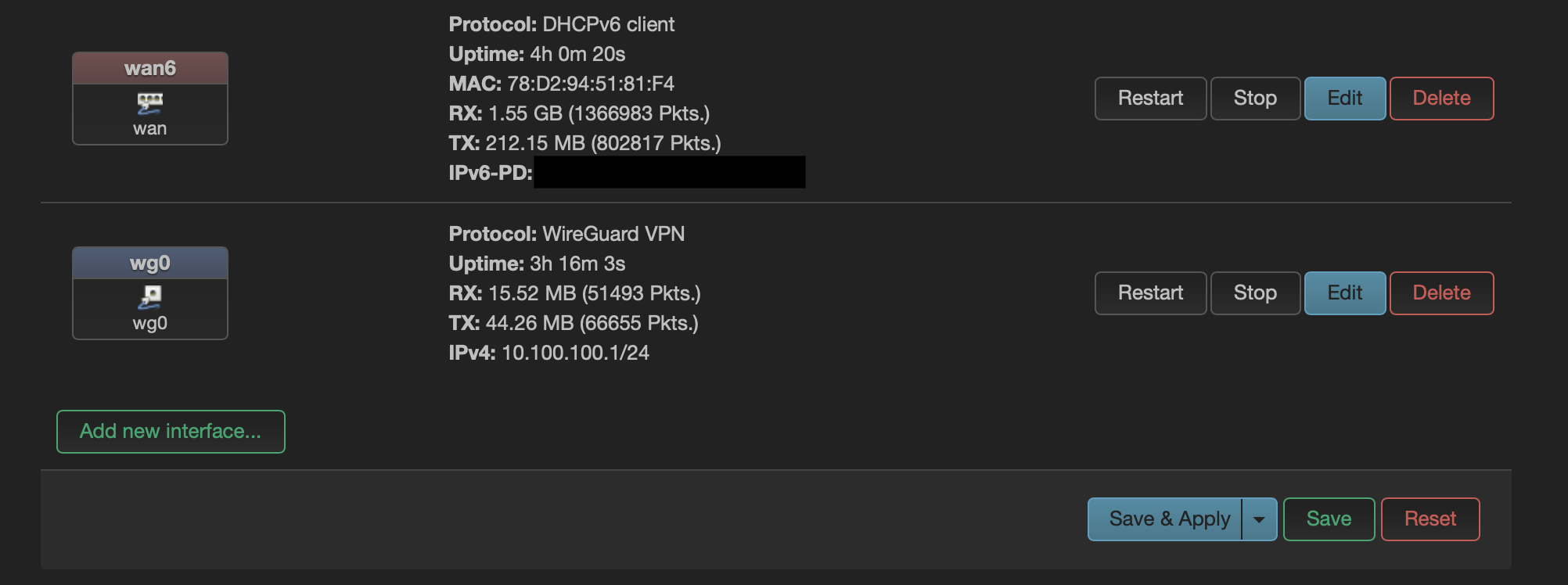
That deployment provided practical experience with peer configuration, firewall rules, routing, dynamic DNS, and handshake troubleshooting. Those lessons carried forward into the UniFi migration.
Skills Demonstrated
- WireGuard deployment and administration
- Secure remote-access design
- Routing and DNS troubleshooting
- Zone-based access control
- VPN migration planning
- Comparative evaluation of remote-access tools